

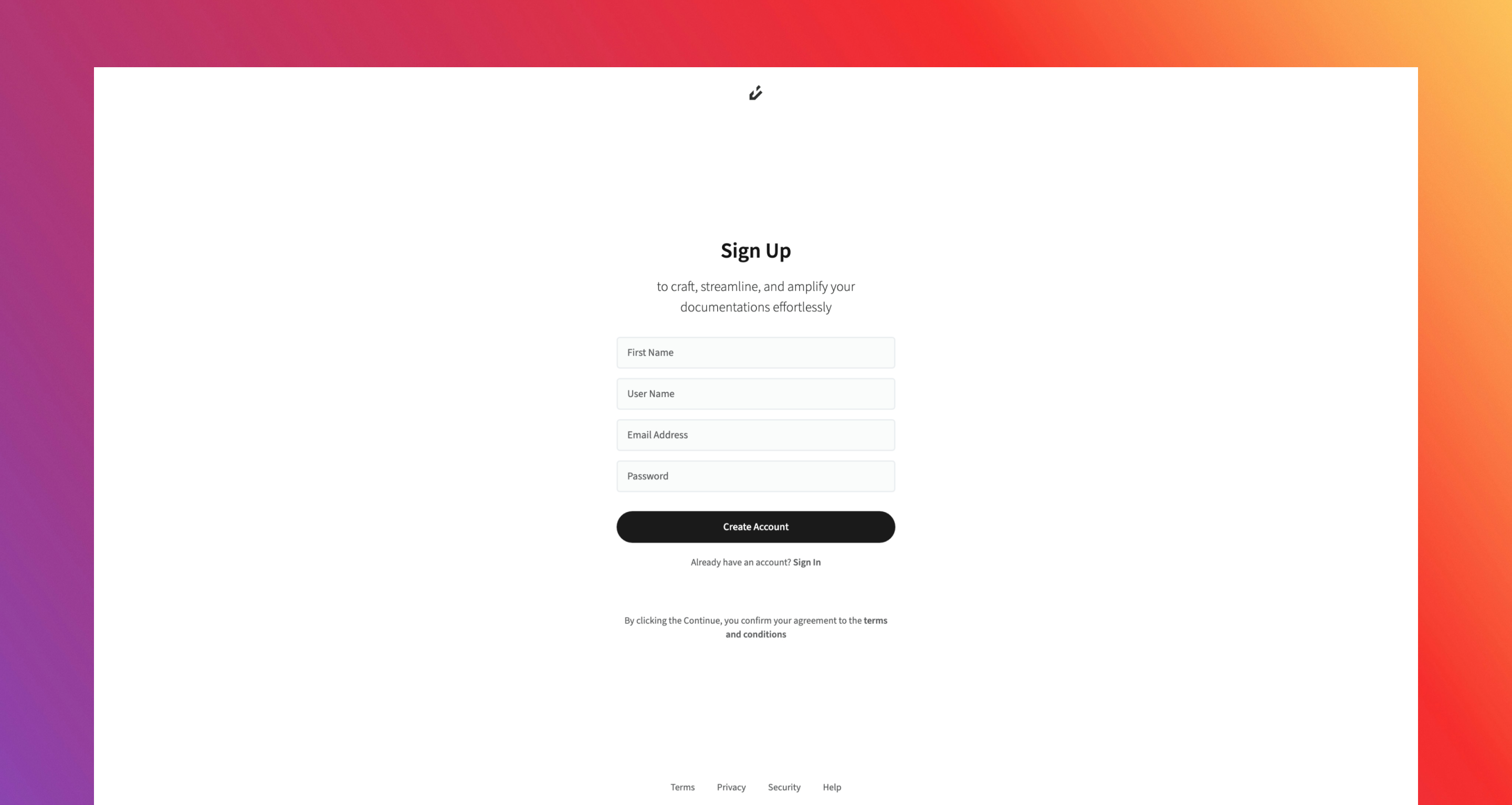
1
Open Sign Up Page
Open the application and go to the Sign Up page.
2
Fill Sign Up Form
Fill in the required fields:
- First Name: Must be between 2–256 characters.
- Username: Must be unique, 2–32 characters, and follow these rules:
- Start with a letter.
- Can contain letters, numbers, underscores
_), or hyphens-). - Must end with a letter or number.
- Cannot use hidden reserved keywords (e.g.,
system,terms).
- Email Address: Must be valid, 6–512 characters, and match the format
[email protected]. - Password: Must be 8–128 characters long and meet all security requirements:
- At least one uppercase letter.
- At least one lowercase letter.
- At least one number.
- At least one special character
@$!%*?&-_. ,;:()[]{}<>+=).
Once your information is entered, click the Create Account button. By doing so, you are automatically agreeing to our Terms and Conditions.
3
Verify Email Address
After submitting, you’ll be redirected to the Verification Page. At the same time, a verification email will be sent to your registered email address.Check your Inbox, and if you don’t see it, also check your Spam/Junk folders. Enter the verification code from the email into the provided field.Once your verification code is confirmed, you’ll be redirected to a Success Page
If you didn’t receive the email, click Resend to generate a new one.