> ## Documentation Index
> Fetch the complete documentation index at: https://docs.orbivon.com/llms.txt
> Use this file to discover all available pages before exploring further.
# Create a Project
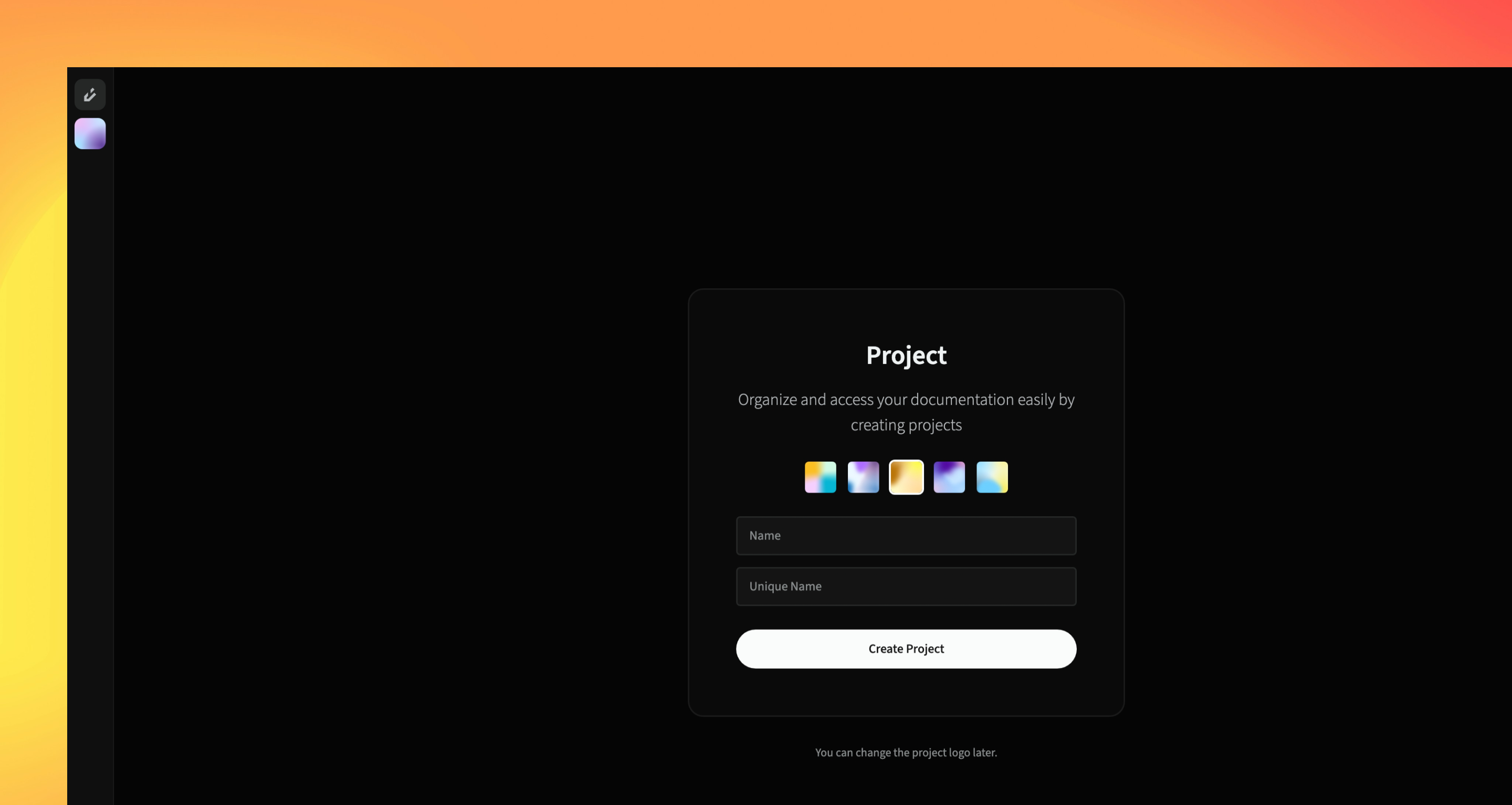 Creating an project in Orbivon is very easy. You can create a new projecet by following the steps below:
1. Open the organization where you want to create the project.
2. In the action panel, click the **organization logo**.
3. A menu will appear, similar to the Organization Selector Menu.
4. Click **Create Project**.
5. You will be redirected to the project creation page.
6. Fill out the form:
* **Logo**: A logo is selected automatically. You can change it.
* **Unique name**: Enter a unique identifier for the project.
* **Project name**: Enter a display name.
7. Click **Create Project**.
Two projects cannot share the same unique name.
After creation, the new project page opens automatically.
Creating an project in Orbivon is very easy. You can create a new projecet by following the steps below:
1. Open the organization where you want to create the project.
2. In the action panel, click the **organization logo**.
3. A menu will appear, similar to the Organization Selector Menu.
4. Click **Create Project**.
5. You will be redirected to the project creation page.
6. Fill out the form:
* **Logo**: A logo is selected automatically. You can change it.
* **Unique name**: Enter a unique identifier for the project.
* **Project name**: Enter a display name.
7. Click **Create Project**.
Two projects cannot share the same unique name.
After creation, the new project page opens automatically.