> ## Documentation Index
> Fetch the complete documentation index at: https://docs.orbivon.com/llms.txt
> Use this file to discover all available pages before exploring further.
# Organization Settings
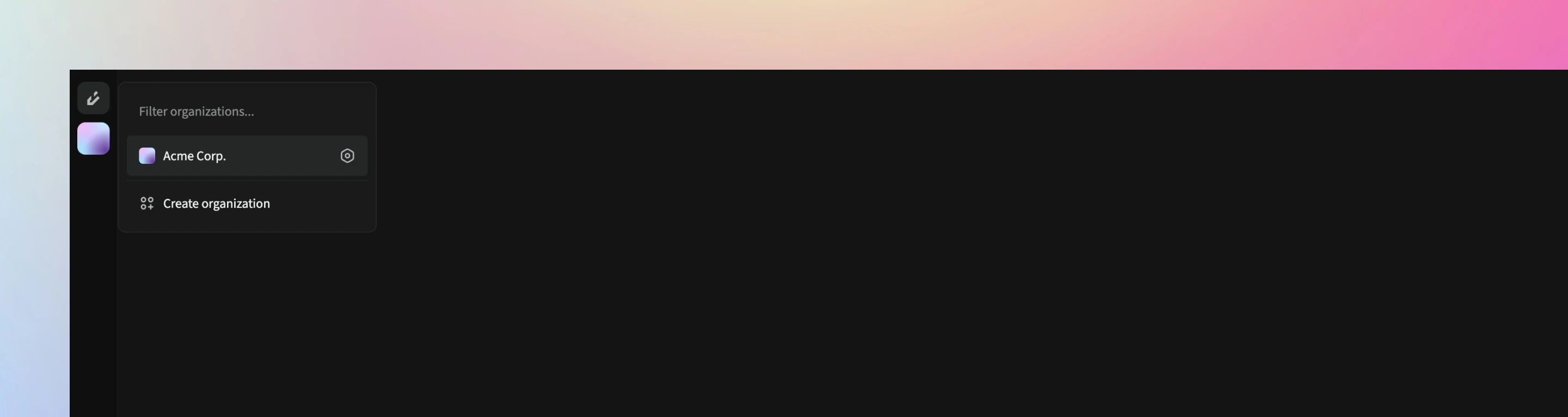 To access an organization’s settings, you must first **open the organization**. Once the organization is open, open the organization selector menu via the action panel. A **Settings button** will appear next to the selected organization. Click it to access the settings.
## Organization Overview
In the **Overview** section of the organization settings, you can update:
* Organization logo
* Unique name
* Organization name
* Description
## Organization Deletion
On the **organization delete page**, you can permanently delete the organization. Once deleted, this action cannot be reversed.
Deleted data is retained for up to **30 days**. If you accidentally delete an organization, contact the Orbivon support team immediately.
To access an organization’s settings, you must first **open the organization**. Once the organization is open, open the organization selector menu via the action panel. A **Settings button** will appear next to the selected organization. Click it to access the settings.
## Organization Overview
In the **Overview** section of the organization settings, you can update:
* Organization logo
* Unique name
* Organization name
* Description
## Organization Deletion
On the **organization delete page**, you can permanently delete the organization. Once deleted, this action cannot be reversed.
Deleted data is retained for up to **30 days**. If you accidentally delete an organization, contact the Orbivon support team immediately.