> ## Documentation Index
> Fetch the complete documentation index at: https://docs.orbivon.com/llms.txt
> Use this file to discover all available pages before exploring further.
# Item Options
You can open the options menu for a folder or document by clicking the **three-dots (…) button** on the item.
## Folder Options
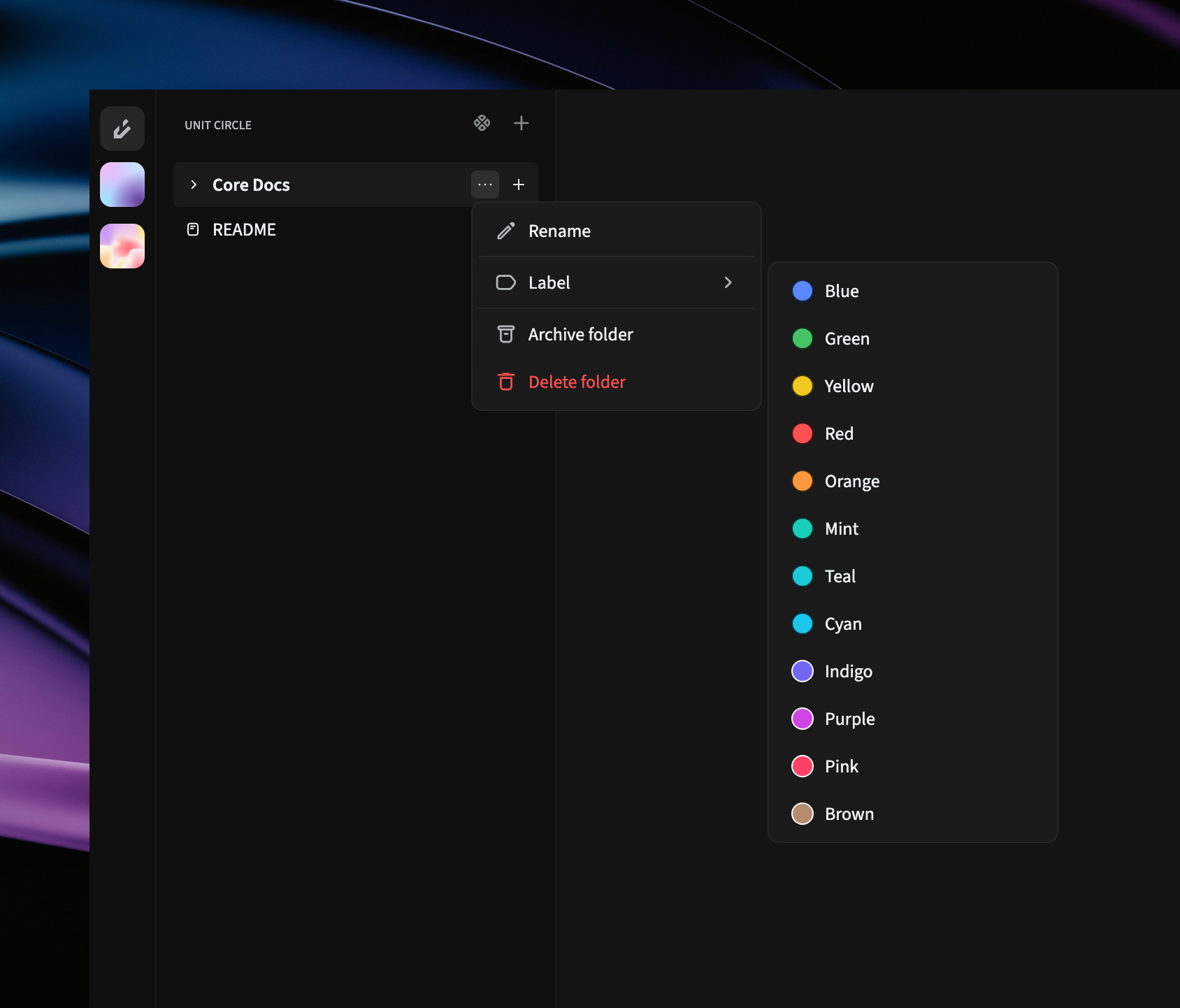 In the options menu, you can see the following menu items.
* **Rename**: Change the folder’s name.
* **Label**: Add a colored label (submenu with color options).
* **Archive folder**: Move the folder to the archive.
* **Delete folder**: Move folder to the trash
If the folder already has a label:
* **Update label**: Change the label name.
* **Remove label**: Remove the label.
Re-selecting a color updates the folder’s label color.
## Document Options
In the options menu, you can see the following menu items.
* **Rename**: Change the folder’s name.
* **Label**: Add a colored label (submenu with color options).
* **Archive folder**: Move the folder to the archive.
* **Delete folder**: Move folder to the trash
If the folder already has a label:
* **Update label**: Change the label name.
* **Remove label**: Remove the label.
Re-selecting a color updates the folder’s label color.
## Document Options
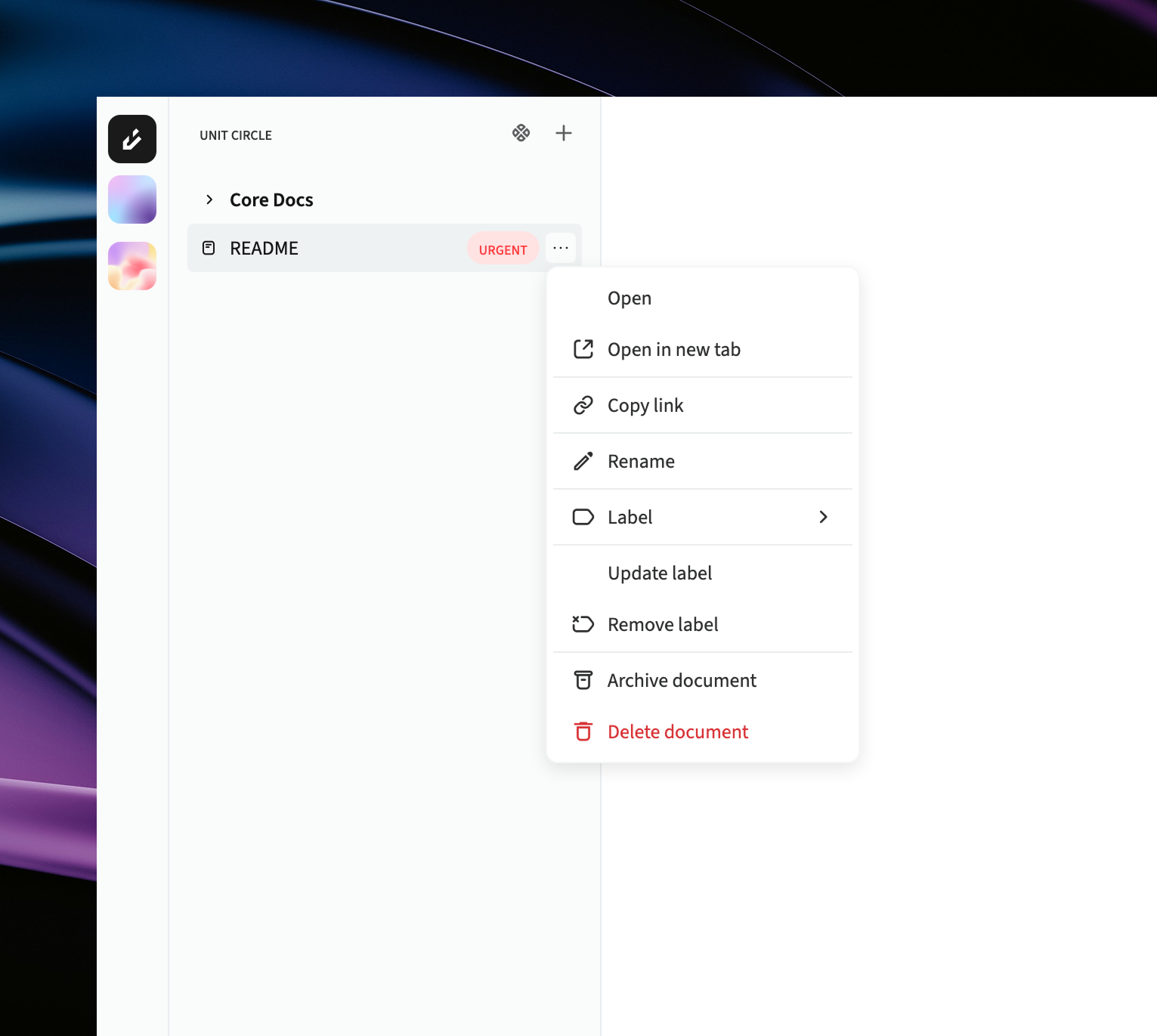 In the options menu, you can see the following menu items.
* **Open**: Open the document.
* **Open in new tab**: Open the document in a separate tab or view.
* **Copy link**: Copy a direct link to the document.
* **Rename**: Change the document’s name.
* **Label**: Add a label to the document.
* **Archive document**: Move the document to the archive.
* **Delete document**: Move item to the trash.
If the document already has a label:
* **Update label**: Change the label name.
* **Remove label**: Remove the label.
You can also rename a document or its label by double-clicking it, but only if the document is open.
In the options menu, you can see the following menu items.
* **Open**: Open the document.
* **Open in new tab**: Open the document in a separate tab or view.
* **Copy link**: Copy a direct link to the document.
* **Rename**: Change the document’s name.
* **Label**: Add a label to the document.
* **Archive document**: Move the document to the archive.
* **Delete document**: Move item to the trash.
If the document already has a label:
* **Update label**: Change the label name.
* **Remove label**: Remove the label.
You can also rename a document or its label by double-clicking it, but only if the document is open.