> ## Documentation Index
> Fetch the complete documentation index at: https://docs.orbivon.com/llms.txt
> Use this file to discover all available pages before exploring further.
# Changelogs
> New updates and improvements
# New to diagramming: PlantUML
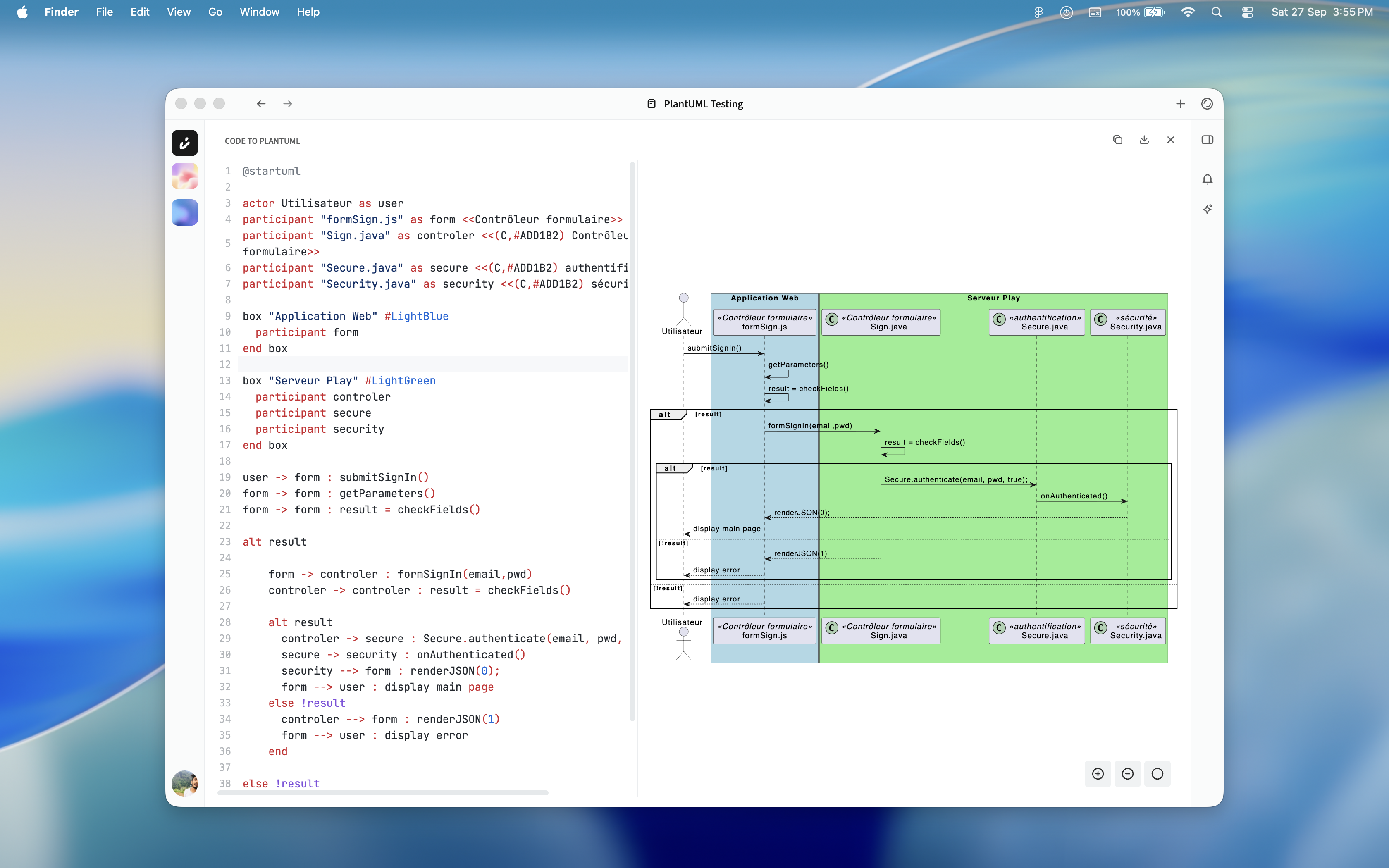 We’re excited to roll out the **second public release** of Orbivon! This update brings powerful new diagramming capabilities, expanded export options, and smoother workflows.
## New Diagramming Support
* In addition to Mermaid, you can now create and visualize complex diagrams using **PlantUML**.
* Both **AI Ask** and **Edit modes** fully support PlantUML diagrams, just like MermaidJS diagrams.
## Editor Improvements
* **Updated Syntax Highlighting**: The diagram editor now features enhanced syntax highlighting for both Mermaid and PlantUML, making it easier to read and edit diagrams.
## Export & Copy Enhancements
* **Export Document as Markdown**: Save your entire document directly as a `.md` file.
* **Copy Document as Markdown**: Instantly copy your entire document in Markdown format.
* **Copy Selection as Markdown**: Copy only the highlighted portion as Markdown.
## Diagram Export Options
* **Download Diagrams as SVG**: High-quality scalable diagrams are just one click away.
* **Copy Source Content**: Easily copy the raw **Mermaid** or **PlantUML** source code for reuse or editing.
# Initial Release
We’re thrilled to announce the **first public release of Orbivon** 🎉 This marks the beginning of a secure, AI-powered documentation platform built for individuals and teams who want to focus on creating, not struggling with tools.
At this release, **Orbivon Copilot** and **Labels** are in beta.
## New in v1.0.0
* **Organizations**: Create workspaces for different teams or contexts.
* **Projects**: Keep documents and folders structured within each organization.
* **Documents**: Write, plan, and organize without limits.
* **Folders**: Create and organize documents and nested folders without limits.
* **Item Status**: Keep work organized with:
* **Active**: Current documents and folders in use.
* **Archived**: Safely store items for later reference.
* **Trash**: Temporarily hold deleted items before permanent removal.
* **Document & Folder Labels (Beta)**: Add short labels for quick visualization and categorization.
* **Editor Zen Mode**: Focus with a distraction-free, full-view editor.
* **Editor Font Options**: Switch between Sans, Serif, or Monospace views.
* **Editor Table of Contents (TOC)**: Auto-generated navigation inside long documents.
* **Mermaid.js Live Editor**: Write code, see your diagrams instantly update.
* **Editor Blocks** (via Slash/Block Menu):
* Headings (H1–H3).
* Bullet lists, Numbered lists, Checkbox lists.
* Code blocks.
* Quotes.
* Tables.
* Mermaid.js (code-to-visualize diagrams).
* Dividers.
* **Editor Bubble Menu**: Quick formatting on text selection.
* Bold / Italic / Underline.
* Strikethrough.
* Superscript / Subscript.
* Inline code.
* Hyperlink.
## Available Plans
* **Free Plan**: Get started with no credit card required.
* **Solo Plan**: Unlock more power for individuals.
Team and Enterprise plans coming soon.
Orbivon `v1.0.0` is just the start. We’re building with your feedback - share ideas, requests, or bugs with us directly or via [GtiHub Discussions](http://github.com/orbivon/orbivon/discussions) 💡.
Try it now: [https://orbivon.com](https://orbivon.com)
We’re excited to roll out the **second public release** of Orbivon! This update brings powerful new diagramming capabilities, expanded export options, and smoother workflows.
## New Diagramming Support
* In addition to Mermaid, you can now create and visualize complex diagrams using **PlantUML**.
* Both **AI Ask** and **Edit modes** fully support PlantUML diagrams, just like MermaidJS diagrams.
## Editor Improvements
* **Updated Syntax Highlighting**: The diagram editor now features enhanced syntax highlighting for both Mermaid and PlantUML, making it easier to read and edit diagrams.
## Export & Copy Enhancements
* **Export Document as Markdown**: Save your entire document directly as a `.md` file.
* **Copy Document as Markdown**: Instantly copy your entire document in Markdown format.
* **Copy Selection as Markdown**: Copy only the highlighted portion as Markdown.
## Diagram Export Options
* **Download Diagrams as SVG**: High-quality scalable diagrams are just one click away.
* **Copy Source Content**: Easily copy the raw **Mermaid** or **PlantUML** source code for reuse or editing.
# Initial Release
We’re thrilled to announce the **first public release of Orbivon** 🎉 This marks the beginning of a secure, AI-powered documentation platform built for individuals and teams who want to focus on creating, not struggling with tools.
At this release, **Orbivon Copilot** and **Labels** are in beta.
## New in v1.0.0
* **Organizations**: Create workspaces for different teams or contexts.
* **Projects**: Keep documents and folders structured within each organization.
* **Documents**: Write, plan, and organize without limits.
* **Folders**: Create and organize documents and nested folders without limits.
* **Item Status**: Keep work organized with:
* **Active**: Current documents and folders in use.
* **Archived**: Safely store items for later reference.
* **Trash**: Temporarily hold deleted items before permanent removal.
* **Document & Folder Labels (Beta)**: Add short labels for quick visualization and categorization.
* **Editor Zen Mode**: Focus with a distraction-free, full-view editor.
* **Editor Font Options**: Switch between Sans, Serif, or Monospace views.
* **Editor Table of Contents (TOC)**: Auto-generated navigation inside long documents.
* **Mermaid.js Live Editor**: Write code, see your diagrams instantly update.
* **Editor Blocks** (via Slash/Block Menu):
* Headings (H1–H3).
* Bullet lists, Numbered lists, Checkbox lists.
* Code blocks.
* Quotes.
* Tables.
* Mermaid.js (code-to-visualize diagrams).
* Dividers.
* **Editor Bubble Menu**: Quick formatting on text selection.
* Bold / Italic / Underline.
* Strikethrough.
* Superscript / Subscript.
* Inline code.
* Hyperlink.
## Available Plans
* **Free Plan**: Get started with no credit card required.
* **Solo Plan**: Unlock more power for individuals.
Team and Enterprise plans coming soon.
Orbivon `v1.0.0` is just the start. We’re building with your feedback - share ideas, requests, or bugs with us directly or via [GtiHub Discussions](http://github.com/orbivon/orbivon/discussions) 💡.
Try it now: [https://orbivon.com](https://orbivon.com)